The 2026 Data Recovery Tool Sale Worth Grabbing Before It Ends
I opened the browser on a Tuesday morning to check on a client’s recovery job and got hit with a promo banner: EaseUS was running a 25 percent discount code on Todo Backup 2026, and a bundle deal on Data Recovery Wizard Pro sitting next to it. I’d just spent the previous week with Data Recovery Wizard on a failing Seagate drive, so the timing was either luck or marketing doing its job. Either way, if you’re here because you saw a sale banner and wondered whether it’s worth pulling out a card, I’ll tell you what I actually think, based on running these tools and reading the reviews carefully rather than the checkout page.
What the current EaseUS sale actually covers
From what I can see on the vendor pages and the review coverage, three things are moving right now.
First, Todo Backup 2026 Home is discounted 25 percent with a code (PCWORLD25 or TECHRAD25 depending on which publication’s link you came through). That’s the backup side, not the recovery side, but they share a house and the licensing overlaps confusingly.
Second, TechRadar reported a bundle in August 2026 that pairs Todo Backup Home, Partition Master Pro, and Data Recovery Wizard Pro for a year at 40 percent off. That’s the deal most relevant to anyone reading a file recovery site, because Data Recovery Wizard Pro is the tool you’d actually use to pull files back off a formatted card or a drive that’s throwing read errors.
Third, there’s the perpetual-license angle. EaseUS Todo Backup Home still sells as a buy-once license, which PCWorld called out as a real advantage against Acronis True Image and Macrium Reflect X, both of which have gone subscription-only. That’s unusual in 2026 and worth noticing if you’re the kind of person who resents paying every year for software you install once.
Why a recovery tool needs backup behind it
Here’s the thing I keep coming back to after years of helping people undelete things. The recovery tool is the fire extinguisher. The backup is the smoke alarm. People buy the extinguisher after the fire, which is backwards, but it’s how the market works.
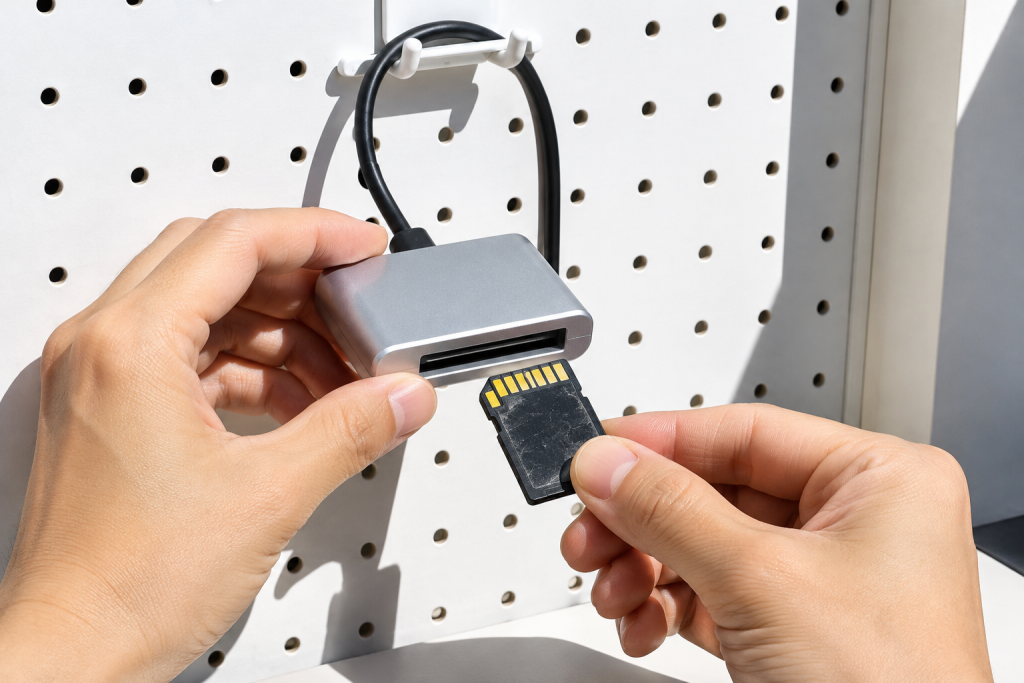
Data Recovery Wizard Pro is genuinely good at what it does. I’ve used it on SD cards pulled from cameras mid-write, on an external drive that got unplugged during a Transfer of a 40GB video project, and on a partition that Windows decided to mark as RAW after a botched update. It finds files. Deep scan takes a while (hours on a 2TB drive, no surprise there), but the preview pane lets you confirm a file is actually recoverable before you spend an hour copying it out.
What it won’t do is recover data that’s been overwritten by new writes. No tool will. That’s why the sequence matters: stop using the drive immediately, image it if it’s failing, then recover from the image. I wrote about imaging a failing drive separately because it’s the single most important step and most people skip it.
The Todo Backup side of the sale
Todo Backup 2026 Home covers disk imaging, file and folder backup (plain or compressed), sync, and what EaseUS calls real-time backup, which is genuinely continuous rather than scheduled. PCWorld’s tester flagged occasional non-fatal oddities during file backup and sync, and noted that third-party cloud storage isn’t supported directly, meaning you’re either using local drives or paying for EaseUS’s own cloud tier. The cloud plan runs about $60 a year for 1TB, which is competitive enough but ties you to their ecosystem.
The Home and Home Office plans handle incremental or full backups up to 16TB across multiple partitions and hardware RAID, per TechRadar’s writeup. That’s more than enough for a home machine or a small studio workstation. The Business tiers (Enterprise and Technician) add Windows Server support and 24/7 support, but they cost a lot more per month and aren’t what the current discount targets.
If you’re on the fence about whether you need Todo Backup at all: if you’ve ever lost a project folder, yes. If you’ve never lost anything and you’re feeling lucky, the recovery tool is the one to buy now and the backup tool is the one to buy before the next near-miss.
Where the bundle math gets interesting
The 40 percent bundle on Todo Backup Home, Partition Master Pro, and Data Recovery Wizard Pro is the only configuration in this sale that makes sense for someone who actually does recovery work. You get the recovery tool for the emergencies, the backup tool for prevention, and Partition Master for the disk-management chores that come up constantly (resizing, cloning to a new SSD, converting MBR to GPT after you realize your old drive was holding you back).
Buying the three separately at list price costs noticeably more than the bundle. Buying only Data Recovery Wizard Pro and skipping the rest is fine if you already have a backup routine. But if you don’t, the bundle is the cheaper path to actually being protected rather than just being able to recover after the fact.
What I’d skip
The cloud storage add-on. EaseUS’s 1TB tier is reasonably priced at $60 a year, but it locks your backups into their service and their recovery workflow. If you already pay for Backblaze or you have a NAS, you’re duplicating spend. Local imaging plus an offsite copy via whatever you already use is a better architecture than adding another cloud silo.
The Business tiers, unless you’re running servers. The Home license covers one machine and that’s what the discount applies to.
The part I want to be straight about
No discount makes a recovery tool worth buying if you don’t need it yet. Data Recovery Wizard Pro is a good product, but it’s the kind of purchase that should follow a specific problem, not precede one. If you haven’t lost anything, put the money toward Todo Backup and a spare external drive instead, because that combination prevents more data loss than any recovery suite ever will.
If you have lost something and you’re reading this in a mild panic, the order of operations is: stop writing to the drive, check whether the sale is still live (these codes rotate), buy the Pro tier because the free version caps recovery volume, and run the deep scan before you do anything else with that disk. The 25 percent code and the 40 percent bundle both target the Pro tier, so the discount is real on the licenses that matter.
One last practical note. The discount codes are publication-specific, and they do expire. If PCWORLD25 fails at checkout but TECHRAD25 works, that’s not a scam, it’s just how affiliate codes age. Try both before assuming the sale is over.
And if you want a second opinion on whether your specific situation is recoverable at all, photograph the drive’s behavior (spinning up, clicking, mounting or not) and describe it precisely. “It doesn’t show up” covers about five different failure modes, and the right tool depends on which one you’ve got.